
![Lussive Audio ClipLAB v1.2 [WIN]](https://www.goaudio.net/wp-content/uploads/2026/02/Lussive-Audio-ClipLAB-v1.2-60x60.png?v=1770885678)
Fender Studio Pro 8 v8.0.1-R2R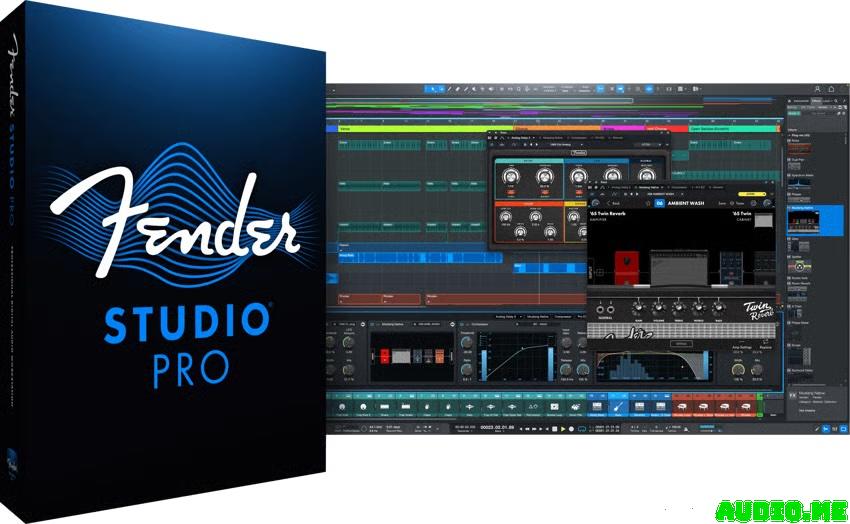
The next evolution of modern music creation. Built on PreSonus’ award-winning Studio One platform, Fender Studio Pro combines its celebrated features and trusted performance with a modernized interface, Fender’s renowned amps and effects models, and intuitive new workflows that make creating music faster, more inspiring, and more connected than ever.
Version 8.0.1 Release Notes
New features and improvements:
Celemony Tonalic Essential bundle version added (see section 6.6 below for more information)
[Tone Generator] Default volume to -24dB [Channel Strip Collection] Added side-chain processing to VT1 and RC500 [Control Surfaces] Updated FaderPort user manual [Open Air] Extended maximum IR lengthThe following issues have been fixed:
[Analog Delay] Width knob too large [Chord Track] Missing visual feedback and info view entry when stretching events [Dynamic EQ] No processing when gain is set to 0 [Extract Notes] Audio stays in use after removing unused files [Extract Notes] Generated instrument events have no name [Extract Notes] Timing of extracted notes is wrong if audio is time-stretched [Extract Notes] Timing of extracted notes is wrong if Instrument Track Timebase is “Seconds” [Impact] Shifted Bank activity indicator [Limiter] Plug-in GUI does not show Control Link focus device combo box [Linux] Key repeated endlessly when app loses focus [Linux] Popup from Menu bar initially appears with wrong scaling [Melodyne] Potential crash when rapidly executing render/restore [Mustang / Rumble Native] Potential crash when adding presets to new setlist [Mustang / Rumble Native] Setlists cannot be deleted [Mustang / Rumble Native] Presets are removed from Setlists on re-instantiation [Mixer] Sends / Cue Mix visibility option doesn’t toggle [Mojito] Envelope AD and R knobs are not working correctly [Presence] LFO LEDs don’t light up [Score Editor] Certain chords split into two voices [Windows Arm] In-app update downloads x86 installerAnalog Delay Width knob too large
Audio Track icon shows an unexpected vertical line
Black box appears in the bottom right corner of control link using incremental controllers
Certain automation nodes are ignored during export
Certain VST3 plug-ins are causing crackles/spikes when audio process precision is set to 64-bit
Chord detection of music events is not as accurate as with audio events
Chord presets ignore major/minor quality in key conversion
Chord track double-click does not create stable events
Console “show outputs” not recalled when saving with mixer closed
Disabled status of Impact Filter section not recognizable
Drag and drop samples from Cells does not work in Impact, Sample One, and Presence
Folder track controls not updating with track height
Freeze button not disabled when no instrument is connected
Incorrect enharmonic spelling in chord progressions
Instruments events recorded to wrong location when loop is active
Metronome does not play first click when accent volume is set to 0
Not all automation nodes are selected when using Range Tool
Note selection is not restored after undoing note-edit operations
Plug-in window missing close button for AU plug-ins with fixed window size
“Return to Start on Stop” and “Enable Play Start Marker“ commands missing in context menu of transport controls
Presets Next / Previous commands do not switch presets for plug-in selected in Channel Overview
Recommended chord selection deselects chord event
Tabbing to name mixer channels goes off screen
Time signature anomaly when moving an Arranger Section
Tooltips are not shown when a native text edit control is active
VCA automation curve not displayed on linked Audio Track
When importing MP3 files with a sampling rate different from the current session, decoding efficiency is particularly low
Homepage:-https://intl.fender.com/pages/fender-studio-pro
Previous
![Native Instruments Kontakt 8 v8.8.1 [WIN+MAC]](https://www.goaudio.net/wp-content/uploads/2024/09/Native-Instruments-–-Kontakt-8-PRO-With-1000GB-Premium-Libraries-60x60.png?v=1727370616)

Checking...
Ouch! There was a server error.
Retry »
Retry »
Sending message...
FILE REQUEST
Fill your request here and our team will try to post this material on the site
