


Thanks for sharing this release.

John Walden Cubase Essentials TUTORiAL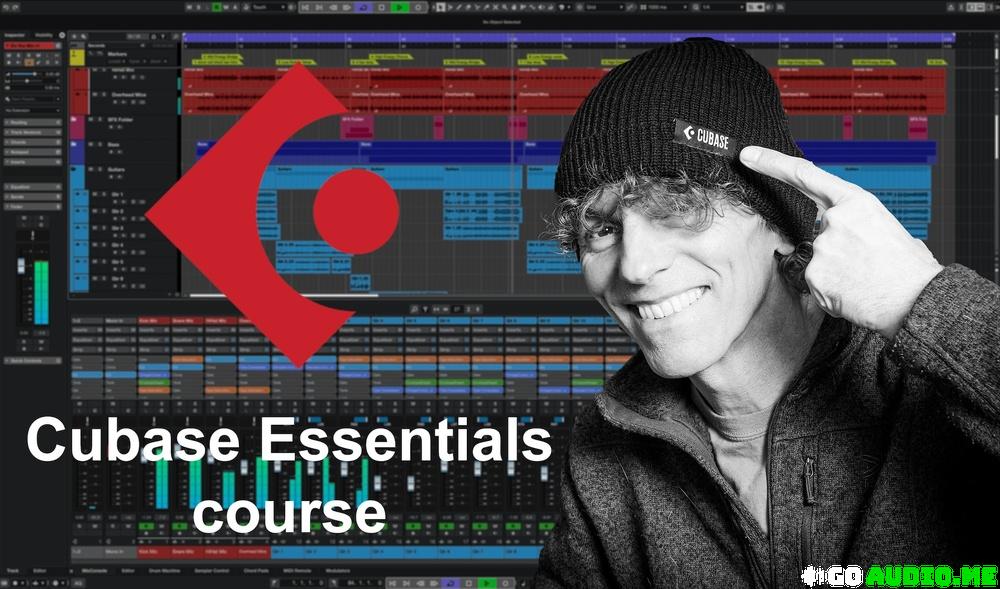
The essentials tools for recording, editing, arranging and mixing your music projects within Steinberg’s Cubase DAW
What you’ll learn
⚡ Learn what makes Cubase a powerful Digital Audio Workstation (DAW) platform for music production
⚡ Learn how to configure Cubase on your computer system for smooth operation
⚡ Learn how to configure a Cubase project
⚡ Learn how to record audio and MIDI performances within the Cubase project window
⚡ Learn how to edit and arrange audio and MIDI recordings to optimise the performances within your song or composition
⚡ Learn how to perfect your project’s mix using the Cubase MixConsole
⚡ Learn how to export your finished mix for playback elsewhere or distribution
⚡ Learn how Cubase supports music-to-picture work
⚡ Reinforce all these learning objectives through detailed walkthroughs of example projects
Requirements
❗ No prior knowledge of Cubase or other DAW software is assumed
Description
Cubase Essentials: the essentials tools for recording, editing, arranging and mixing your own music projects within Cubase
Cubase, Steinberg’s powerful digital audio workstation software, provides an amazing array of tools for music production, giving anyone access to a fully-featured virtual recording studio environment on their own computer.
From recording your initial ideas as audio or MIDI performances, through refining them via powerful editing and arranging features, to crafting and then exporting your finished mix, Cubase has all you need to turn your song or composition ideas into finished tracks.
This course will give you the Cubase skills you need to do just that. The ability to record your own music can be incredibly satisfying experience. If you have always wanted to capture the very best versions of your songs or compositions in a recorded form, hopefully, with a little help from this course, you will soon be able to do just that within Cubase.
What you’ll learn
The Cubase Essentials allows you to learn about
✨ The essential features that make Cubase a powerful recording studio in software
✨ How to install and configure Cubase on your computer
✨ The main elements of the Cubase user interface and what each of them allows you to do
✨ The essential Cubase features for recording your audio and MIDI performances
✨ The essential Cubase features for editing and arranging your audio and MIDI recordings to create the best performances you can and to perfect the structure/arrangement of your song or composition project
✨ The essential Cubase features that allow you to craft and refine the mix of your project and then export it for playback elsewhere or distribution
✨ The essential Cubase features for working with video for composing music-to-picture for applications such as film, TV, adverts or video games.
✨ Via a number of example projects in different musical genres, learn how your Cubase essential knowledge and skills can be used to take a project from an initial musical idea through to a finished mix
Are there any prerequisites required to take the course?
Just a desire to learn how to use Cubase’s powerful features; no previous experience of Cubase, other digital audio workstation software or multitrack recording, is assumed.
Who is this course aimed at?
Anyone looking to expand their knowledge of Steinberg’s Cubase so that they can make full use of it’s feature set in the production of their own musical projects. I had in three main audiences in mind when I was designing the course.
✨ Those who may have been using Cubase for a little while but know you need to expand your knowledge to fully exploit what Cubase has to offer.
✨ Those who perhaps have some experience with another digital audio workstation but haven’t quite gelled with that and are now wanting to see if Cubase will be a better fit.
✨ Those who have never used multitrack recording software, and Cubase perhaps represents their very first experience with digital recording.
If you can relate to any one of those groups, then this Cubase Essentials course is designed to take you from initially installing the software right through to exporting the very best mixes from your musical projects that you possibly can.
Meet your instructor
My name is John Walden, and I will be your instructor for this course. I have used Cubase in my own music production work for over 25 years. Since 2007, I have written techniques articles on the use of Cubase for Sound On Sound magazine (you can check these out on the Sound On Sound website if you want more Cubase content) and I have a teaching background within the higher education sector.
I can still learn something new about Cubase every time I use it but I hope that, in this course, I’ll be able draw on knowledge and experience I’ve gained with the software to help you on your own learning journey with Steinberg’s brilliant Cubase software.
Who this course is for
⭐ Anyone who is still in the early stages of their journey with Cubase and appreciates there is still lots more to learn to fully exploit the software’s potential
⭐ Those without any previous experience of using a DAW and for whom Cubase is their first computer-based recording platform
⭐ Those who have used another DAW but, for whatever reason, now want to see if Cubase is a good fit for them
Homepage:-https://www.udemy.com/course/cubase-essentials/?couponCode=MT260714G2

Cubase Essentials.part01.rar – 2.9 GB
Cubase Essentials.part02.rar – 2.9 GB
Cubase Essentials.part03.rar – 2.9 GB
Cubase Essentials.part04.rar – 2.9 GB
Cubase Essentials.part05.rar – 2.9 GB
Cubase Essentials.part06.rar – 2.9 GB
Cubase Essentials.part07.rar – 2.9 GB
Cubase Essentials.part08.rar – 2.9 GB
Cubase Essentials.part09.rar – 2.9 GB
Cubase Essentials.part10.rar – 2.9 GB
Cubase Essentials.part11.rar – 2.9 GB
Cubase Essentials.part12.rar – 2.9 GB
Cubase Essentials.part13.rar – 2.9 GB
Cubase Essentials.part14.rar – 2.9 GB
Cubase Essentials.part15.rar – 2.9 GB
Cubase Essentials.part16.rar – 2.9 GB
Cubase Essentials.part17.rar – 2.9 GB
Cubase Essentials.part18.rar – 2.9 GB
Cubase Essentials.part19.rar – 2.9 GB
Cubase Essentials.part20.rar – 914.0 MB

Fill your request here and our team will try to post this material on the site

Thanks for sharing this release.

Great upload!

Amazing EKX library! The piano sounds incredibly warm and expressive, and the processed presets are perfect for modern pop production.…

Big thanks

I found exactly what I was looking for. Great website!
