![Lemur Audio SIMON v1.6.4 [WIN]](https://www.goaudio.net/wp-content/uploads/2026/07/Lemur-Audio-SIMON-v1.4.32-60x60.webp)
![JMG Sound Continuum v1.0 [WIN]](https://www.goaudio.net/wp-content/uploads/2026/08/JMG-Sound-Continuum-v1.0-60x60.webp)

Thanks for sharing this release.

Undertone Audio MPEQ-1 v1.0.3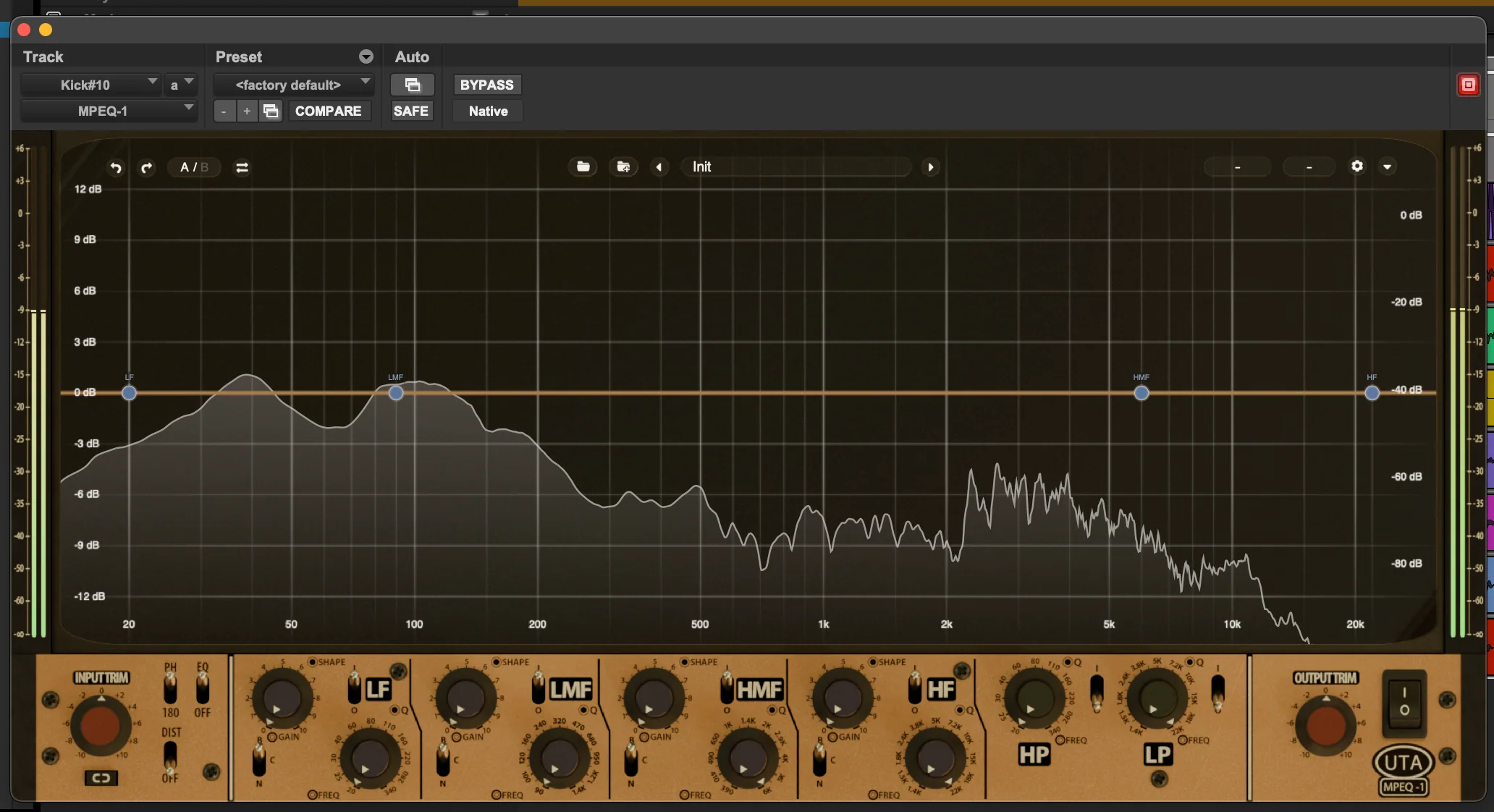
There are a lot of powerful EQ plugins out there. So why did we build the plugin version of the MPEQ-1?
As hardware, the legendary MPEQ-1 does things that even most digital EQs can’t do. But despite years of requests to bring it into the plugin world, we held off—because we felt that if we were going to do it, it had to bring something truly new to the digital world. The same way the hardware MPEQ-1 was unprecedented in the analog realm, the plugin had to be unprecedented in the digital one.
That’s what we’ve achieved with the MPEQ-1 Super-Parametric Saturation Equalizer Plugin.
The plugin does everything the hardware does: the variable shape, the exceptionally versatile filters, the wide-range Q control, the unique Vari-Phase mode. We’ve painstakingly recreated everything that made the original iconic.
But the plugin goes even further. Each EQ band now has its own dedicated saturation stage—letting you add rich harmonic coloration on a band-by-band basis. Boost your highs into saturation while carving the low mids and leaving the low end clean. Push a snare’s fundamental until it sings while keeping the top end clean. This kind of control is truly unprecedented.
It’s a new kind of EQ—and once you’ve worked with it, you’ll find it hard to go back.
The features and controls of the MPEQ-1 plugin are the same as the hardware, with some important additions. We’ve added an all-new distortion section; for each band, you can control the amount and style of distortion. We’ve also added a beautiful RTA with extremely fine low end resolution. EQ bands can be controlled directly on the RTA using familiar digital parameter controls, or via the graphic recreation of the hardware below.
Changelog
All notable changes to MPEQ-1 are documented in this file.
[1.0.3] — 2026-08-19What’s new
– Band control panel: one place to edit everything about the selected band
– Band solo: listen to a single band on its own via the headphones button or Alt+1-4
– Keyboard shortcuts for undo/redo, A/B compare, copy, bypass, panels and band select
– Mouse & Keys overlay listing every gesture and shortcut
– Grid-only view for a compact, curve-focused layout
– Distortion glow now follows the band’s actual shape, showing where the drive lands
– Adjustable analyser floor, from -60 dB down to -130 dB
– Improved level meters with clip LEDs and peak readouts
– Redesigned settings panel, control bar and view icons
– Master distortion switch added to the EQ-only view
– Tooltips on the faceplate controls
– Fine adjust is now Ctrl / Cmd + drag or wheel on every knob
– Automation lanes show switch names instead of numbers, and follow the direction of the switch
– Much smoother on macOS with the visualiser open, and lower CPU use overall
Bug fixes
– The EQ curve now lines up exactly with its nodes across the whole spectrum
– Sharper, less smeared rendering at fractional UI scales
– The right-click menu now scales with the plugin’s UI size
– The dB-axis lock is now remembered per instance and saved with your session, instead of resetting every time the plugin is reopened
– Pro Tools: presets now recall the switch positions and view state correctly, and the host’s automation shortcut no longer changes grid bar buttons
What’s new
– Sharp Retina/HiDPI rendering with new 2x graphics
– Updated knob designs
– Improved compact view: crisper control bar and mini meter, refined layout
– Snappier, more accurate DRIVE knob response
– Smoother, more efficient UI rendering
– Cleaner gain changes — no more zipper noise
– Faster, snappier auto dB range
– Locked dB scale for consistent metering
– Added distortion master switch and distortion panel visibility control
Bug fixes
– Fixed loud volume bursts when turning a band’s DRIVE knob quickly
– Fixed occasional clicks/pops when starting or stopping playback (short output declick fade at transport edges, skipped during offline bounce)
– HPF/LPF Q now restores correctly on recall
– Fixed UI being cut off at the top on recall
– Fixed EQ grid hover readout
– Fixed clicks on playback start and across block boundaries (gain ramping)
– Tuned knob/node scroll and drag sensitivity
– Windows CI and licensing fixes
What’s new
– Added spectrum analyzer, EQ response curve, and dynamic EQ grid
– Spectrum analyzer rendering improvements
– Improved Pro Tools UI render performance
Bug fixes
– Fixed resampled buffer overflow crash in Pro Tools
– AVX/Rosetta fixes
– A/B compare fixes
– Meter decay fix
– Thread-safety and use-after-free fixes
– Tooltips now update correctly when hovering inner/upper controls
– Initial release.
Homepage:-https://digital.undertoneaudio.com/products/mpeq-1-plugin

Fill your request here and our team will try to post this material on the site

Thanks for sharing this release.

Great upload!

Amazing EKX library! The piano sounds incredibly warm and expressive, and the processed presets are perfect for modern pop production.…

Big thanks

I found exactly what I was looking for. Great website!
