Waves Ultimate 16 is the ultimate collection for music producers, engineers, and sound designers. With this subscription, you unlock access to over 240 professional-grade audio plugins, all designed to help you create, mix, and master your music with ease. Whether you’re working in the studio or collaborating remotely, Waves Ultimate 16 provides the tools you need to achieve the highest quality sound.
New Features in Version 16:
Updated Graphical User Interface (GUI): Sleek and modern designs for a better user experience.
Redesigned Plugins: Improved versions of iconic plugins like V-Series, IR-Live, and MaxxBass.
Resizable Windows: Adjust plugin windows to fit your screen preferences for ultimate flexibility.
Improved Compatibility: Full support for the latest operating systems and DAWs.
December 15, 2025
All Waves Plugins: Across-the-board software update to V16
– New Features & Improvements in Waves V16
– New: Redesigned interface for [Morphoder](https://www.waves.com/plugins/morphoder).
– New: Hi-DPI interfaces for [Vocal Rider](https://www.waves.com/plugins/vocal-rider) and [Bass Rider](https://www.waves.com/plugins/bass-rider).
– New in [Chris Lord-Alge Signature Series](https://www.waves.com/bundles/chris-lord-alge-signature-series): Analog Noise On/Off switch, accessible from the plugins’ hamburger menu.
– New in [CLA-2A](https://www.waves.com/plugins/cla-2a-compressor-limiter), [CLA-3A](https://www.waves.com/plugins/cla-3a-compressor-limiter), [CLA-76](https://www.waves.com/plugins/cla-76-compressor-limiter), [V-Comp](https://www.waves.com/plugins/v-comp): Auto Makeup Gain is now on by default in LV1 and SuperRack.
– New in [CLA Vocals](https://www.waves.com/plugins/cla-vocals): New presets from Jbeatzz.
– Improved in [CR8](https://www.waves.com/plugins/cr8-creative-sampler): Multi-sample drag and drop now loads samples into multi-layer configurations.
– New in [Curves AQ](https://www.waves.com/plugins/curves-aq): Supports Pro Tools AudioSuite offline workflow.
– New in [EMO Q4 Equalizer](https://www.waves.com/plugins/emo-q4-equalizer): Q can now be controlled via pinch gestures on touch screens.
– New in [InTrigger Drum Replacer](https://www.waves.com/plugins/intrigger-drum-replacer) – New Suspend Detection feature, locking the Hit Type Detection.
– New in [Morphoder](https://www.waves.com/plugins/morphoder), [UltraPitch](https://www.waves.com/plugins/ultrapitch), [Enigma](https://www.waves.com/plugins/enigma), [IR1](https://www.waves.com/plugins/ir1-convolution-reverb), [SuperTap](https://www.waves.com/plugins/supertap), [H-Reverb](https://www.waves.com/plugins/h-reverb-hybrid-reverb), [Z-Noise](https://www.waves.com/plugins/z-noise), [L3-16](https://www.waves.com/plugins/l3-16-multimaximizer), [Linear Phase EQ](https://www.waves.com/plugins/linear-phase-eq): Double-click any EQ band to turn the band on or off.
– New in [PuigChild Compressor](https://www.waves.com/plugins/puigchild-compressor): Input Gain Lock is now possible from the plugin ‘hamburger’ menu.
– New in [Waves Harmony](https://www.waves.com/plugins/waves-harmony): Scale parameter is now automatable.
– Improved: WaveShell load time during Pro Tools startup.
– Updated: Parameter text fields now accept a comma as a decimal separator.
– Bug fixes in all Waves plugins
– Fixed: Touchscreen parameter control no longer jumps when touching a scale mark.
– Bug Fixes in Individual Plugins
– Fixed in [Clarity Vx](https://www.waves.com/plugins/clarity-vx), [Clarity Vx Pro](https://www.waves.com/plugins/clarity-vx-pro), [Clarity Vx DeReverb](https://www.waves.com/plugins/clarity-vx-dereverb), [Clarity Vx DeReverb Pro](https://www.waves.com/plugins/clarity-vx-dereverb-pro): Plugin loads correctly in VST3 hosts after certain third-party plugins have been instantiated.
– Fixed in [CLA MixHub](https://www.waves.com/plugins/cla-mixhub) and [Scheps Omni Channel 2](https://www.waves.com/plugins/scheps-omni-channel): MIDI and FIT controller mappings corrected.
– Fixed in [COSMOS Sample Finder](https://www.waves.com/plugins/cosmos-sample-finder):
– Samples remain in the list after changing instrument attributes.
– When only [Illugen](https://www.waves.com/illugen) folder is scanned, the number of samples will appear correctly.
– Multichannel audio files are excluded properly.
– Browsing identical files with arrow keys no longer closes the GUI
– Fixed in [Curves AQ](https://www.waves.com/plugins/curves-aq):
– Custom node parameters remain visible when adjusting with the mouse in LV1 and SuperRack.
– Tilt Frequency works with touch-and-slide in SoundGrid apps.
– Low-level input is no longer muted when Auto Makeup is on.
– Fixed in [Curves Equator](https://www.waves.com/plugins/curves-equator):
– Low-level input is no longer muted when Auto Makeup is on.
– Graphic analyzer level matches the actual audio input.
– Fixed in [Doubler](https://www.waves.com/plugins/doubler): Pan knob responds correctly to left and right arrow keys.
– Fixed in [EMO D5](https://www.waves.com/plugins/emo-d5-dynamics): Right-click MIDI Learn now operates as expected.
– Fixed in [Feedback Hunter](https://www.waves.com/plugins/feedback-hunter): Plugin loads correctly after console restart.
– Fixed in [Gemstones](https://www.waves.com/plugins/gemstones): The “Get Gemstones” page loads correctly when logging in from [COSMOS Sample Finder](https://www.waves.com/plugins/cosmos-sample-finder) or [StudioVerse](https://www.waves.com/studioverse).
– Fixed in [IDX](https://www.waves.com/plugins/idx-intelligent-dynamics): Next and Previous preset arrows now advance presets correctly.
– Fixed in [Immersive Wrapper](https://www.waves.com/plugins/immersive-wrapper): Corrected channel routing in VST3 hosts.
– Fixed in [InTrigger Drum Replacer](https://www.waves.com/plugins/intrigger-drum-replacer):
– Plugin re-instantiates correctly when saved with Freeze enabled.
– Freeze resets to off when detection is reset.
– Fixed in [L4 Ultramaximizer](https://www.waves.com/plugins/l4-ultramaximizer): Live component no longer appears in Logic scans or triggers failed validation.
– Fixed in [PRS SuperModels](https://www.waves.com/plugins/prs-supermodels): Missing IR prompt appears correctly when loading sessions in SoundGrid apps.
– Fixed in [Silk Vocal](https://www.waves.com/plugins/silk-vocal): High process DeEsser/Shelf parameter is automatable.
– Fixed in [Abbey Road RS124 Compressor](https://www.waves.com/plugins/abbey-road-rs124-compressor): Correct parameter mapping for Avid control surfaces.
– Fixed in [StudioVerse Instruments](https://www.waves.com/plugins/studioverse-instruments): Third-party plugins appear correctly when sorted by categories.
– Fixed in [Sync Vx](https://www.waves.com/plugins/sync-vx):
– Capture animation stops when DAW transport stops.
– Rendering multiple tracks in Pro Tools now aligns all tracks correctly.

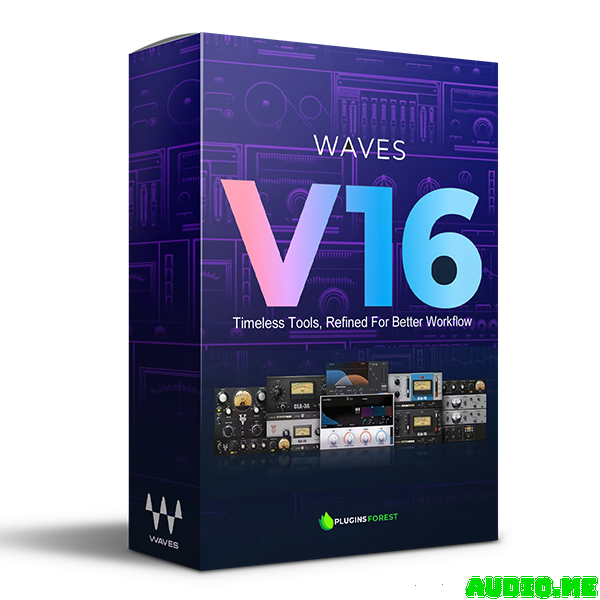


 New Features in Version 16:



![KV331 Audio SynthMaster v3.4.5 rev.2 [WIN+MAC]](https://www.goaudio.net/wp-content/uploads/2025/12/KV331-Audio-SynthMaster-60x60.jpg)